PRIVATE · BROWSER-BASED · NO SIGNUP
AIF to MIDI Converter — Free, No Signup
This is the fastest way to convert AIF to MIDI. Our free AIF to MIDI converter turns an AIF or AIFF audio file into an editable MIDI file, right in your browser. No uploads, no servers, no signup, no watermarks.
Drop your AIF here
or choose a file from your device
Supported: AIF, AIFF, AIFC
Why Convert AIF to MIDI?
AIF and AIFF are lossless audio formats — great for preserving true sound quality, but they store a waveform, not the notes behind it. A MIDI file, by contrast, stores exact note data: pitch, timing, and duration. Converting an AIF recording to MIDI means you can edit, transpose, and remix the performance like sheet music in any DAW. Our free AIFF to MIDI converter turns your audio into editable MIDI in seconds — a local AIF to MIDI converter, right in your browser.
How to Convert AIF to MIDI
Upload Your AIF File
Drag and drop a .aif, .aiff, or .aifc file (or click to browse). The audio is decoded right in your browser.
Pick an Audio Type
Choose the preset that best matches your audio — Piano, Voice, Guitar, Bass, Solo, or Full Song — to guide the transcription model toward the most accurate result.
Wait for the Notes
The model transcribes your audio into individual notes with exact pitch and timing, then shows them on an on-screen piano roll you can review.
Download MIDI
Export your .mid file and open it in Logic, Ableton, FL Studio, GarageBand, or any notation app. Everything stays on your device.
Features of Our AIF to MIDI Converter
100% Private
Your AIF file is decoded and converted entirely on your device. Nothing is uploaded.
AIF & AIFF Support
Convert .aif, .aiff, and .aifc lossless audio files into playable MIDI.
Piano Roll Review
See the transcribed notes as a clear piano roll, so you can confirm the melody before you download.
Editable MIDI Output
The exported MIDI keeps exact pitch and timing so it opens ready to edit in any DAW.
Accurate Transcripts
Lossless AIF audio feeds the Spotify Basic Pitch model with clean input for accurate note detection.
Instant Download
Transcribe and download an editable .mid file in seconds — free to convert, no signup, no file-size caps.
Turn Lossless AIF Audio Into Editable MIDI
Because this AIF to MIDI converter runs in your browser, there is no upload delay and no privacy risk. Your audio is decoded with the Web Audio API and transcribed by the Spotify Basic Pitch model into clean MIDI notes with accurate pitch and timing. You can then open the result in any DAW and edit it as you wish. AIFF is a lossless audio format, and MIDI follows the MIDI Association specification.
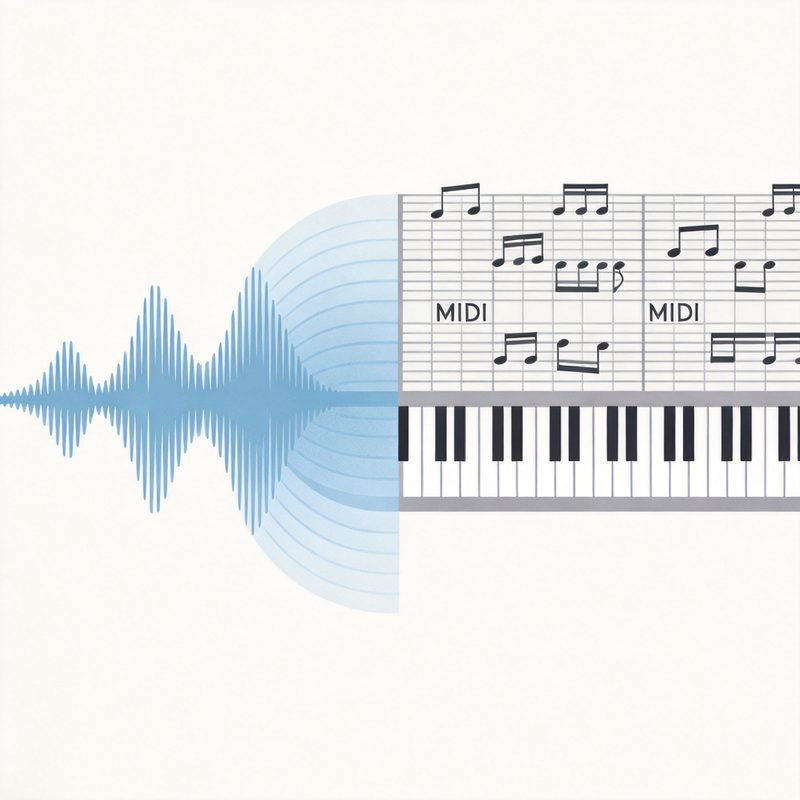
FROM AUDIO TO NOTES
Convert Any AIF File to MIDI
Upload an AIF or AIFF recording and get a playable MIDI file with exact pitches and rhythms — perfect for arranging, transposing, remixing, or learning a piece in any DAW.
AIF to MIDI FAQs
What is an AIF to MIDI converter?
An AIF to MIDI converter listens to an AIF (or AIFF) audio file and transcribes the notes it hears — pitch, timing, and length — into a MIDI file. MIDI is not audio; it is note data, so the output can be edited, transposed, and played through any virtual instrument in a DAW.
Is AIF the same as AIFF?
Yes. AIF and AIFF are the same lossless audio format (Audio Interchange File Format), just different file extensions. Our converter accepts .aif, .aiff, and .aifc files and turns them into editable MIDI.
Do I need to upload my AIF file to convert it?
No. Our AIF to MIDI converter runs entirely in your browser. Your audio is decoded and transcribed on your own device, so it never leaves your computer — no uploads, no servers, no privacy risk.
Can I convert an AIF file to MIDI online for free?
Yes. The converter is free with no signup. Free plans can convert audio up to 5 minutes; upgraded plans allow up to 15 minutes. There are no watermarks and no hidden fees.
Will the MIDI sound exactly like my AIF recording?
It depends on the source. A single melody or solo instrument, like a piano or voice, transcribes very accurately. A full mix with drums and many layered instruments is much harder to separate into clean MIDI notes, so results can be messy. For best results, use a clip with a clear dominant melody.
Can I use the MIDI file in my DAW?
Absolutely. The exported .mid file opens in any DAW or notation software — Logic, Ableton, FL Studio, GarageBand, MuseScore, and more. You can assign instruments, change tempo and key, and edit individual notes.
How long is the AIF file allowed to be?
Free accounts can convert audio up to 5 minutes per file, and upgraded accounts up to 15 minutes. If your AIF clip is longer, cut it down to the part you want to transcribe first.
What makes this AIFF to MIDI converter accurate?
It uses the Spotify Basic Pitch model, a state-of-the-art polyphonic transcription model that runs locally in your browser via WebAssembly. Because AIFF is lossless, the source audio carries no compression artifacts, giving the model the best possible signal to work from.
More Audio to MIDI Tools
Audio to MIDI
Convert audio recordings to editable MIDI with full preset control.
MP3 to Piano MIDI
Turn an MP3 piano track into playable MIDI with the Piano preset.
WAV to MIDI
Convert WAV recordings into editable MIDI notes in your browser.
Music to MIDI
Convert any piece of music to editable MIDI with all presets enabled.
MOV to MIDI
Extract a video's audio track and turn it into editable MIDI.
M4A to MIDI
Convert M4A (AAC) audio to editable MIDI. Apple format, lossless quality.
Text to MIDI
Turn text or note names into a playable MIDI melody.
AIF to MIDI Guides
Convert Your AIF File to MIDI Free
Upload an AIF or AIFF audio file and download an editable MIDI in seconds — free, private, and with no signup. Free up to 5 minutes, upgrade for up to 15.